How preview and output stay consistent
Learn which document Imposia displays, prints, and uses to create EPUB files.
Pagination takes time, especially when a document contains images, tables, or many pages. Imposia keeps the last completed document visible while it prepares the next one, so readers never see an unfinished layout.
The document readers see
Core owns one persistent canonical iframe. That iframe contains the latest document that finished pagination successfully.
The React component and Viewer present this iframe directly. They do not clone its pages or create a second presentation document.
What happens when the source changes
- Core creates a temporary staging iframe for the new source.
- It loads approved assets and paginates the complete document there.
- If pagination succeeds, Core replaces the contents of the canonical iframe in one step.
- If the work fails, is cancelled, or is superseded, Core removes the staging iframe and keeps the previous document visible.
The staging iframe is never used for preview, presentation, or print.
How each output is made
| Output | Source | Result |
|---|---|---|
| Preview | Canonical iframe | The completed paginated pages shown by the Viewer |
Canonical iframe through Window.print() | The browser's native print flow; Imposia does not return PDF bytes | |
| EPUB | Latest committed semantic source | A reflowable EPUB 3.3 Blob, not a fixed-layout copy of the page DOM |
PageDocument.exportEpub() does not rerun extensions or serialize the fixed page layout.
Why Viewer and native print stay aligned
First, inspect pages 2 and 3 of the committed generation in the Viewer. Then select Save to PDF in browser print preview. The same content and page order appear there.
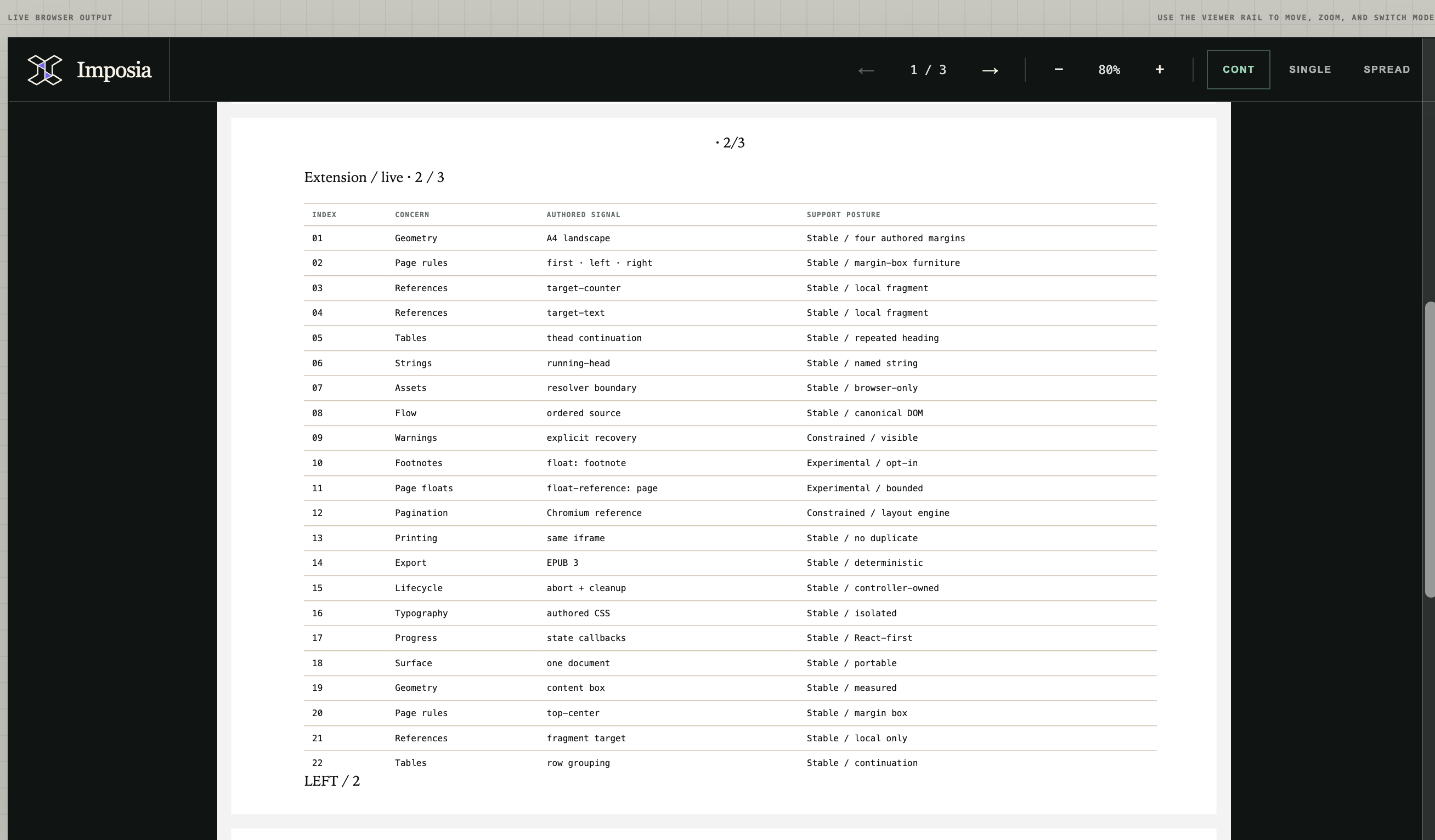
Viewer page 2 contains table rows 01–22, the repeated table heading, and the LEFT / 2 page furniture.
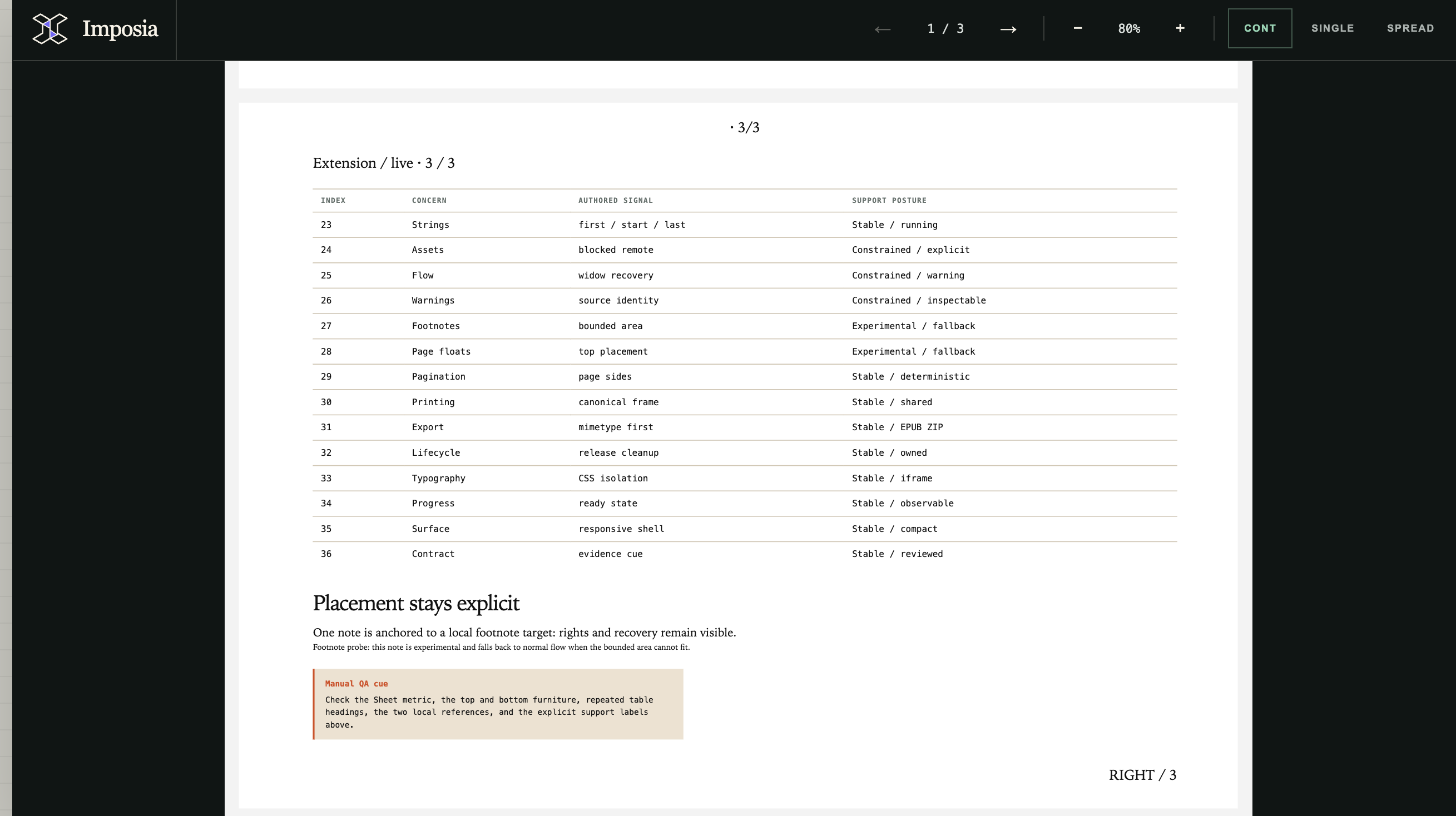
Viewer page 3 continues with rows 23–36 and the RIGHT / 3 page furniture.
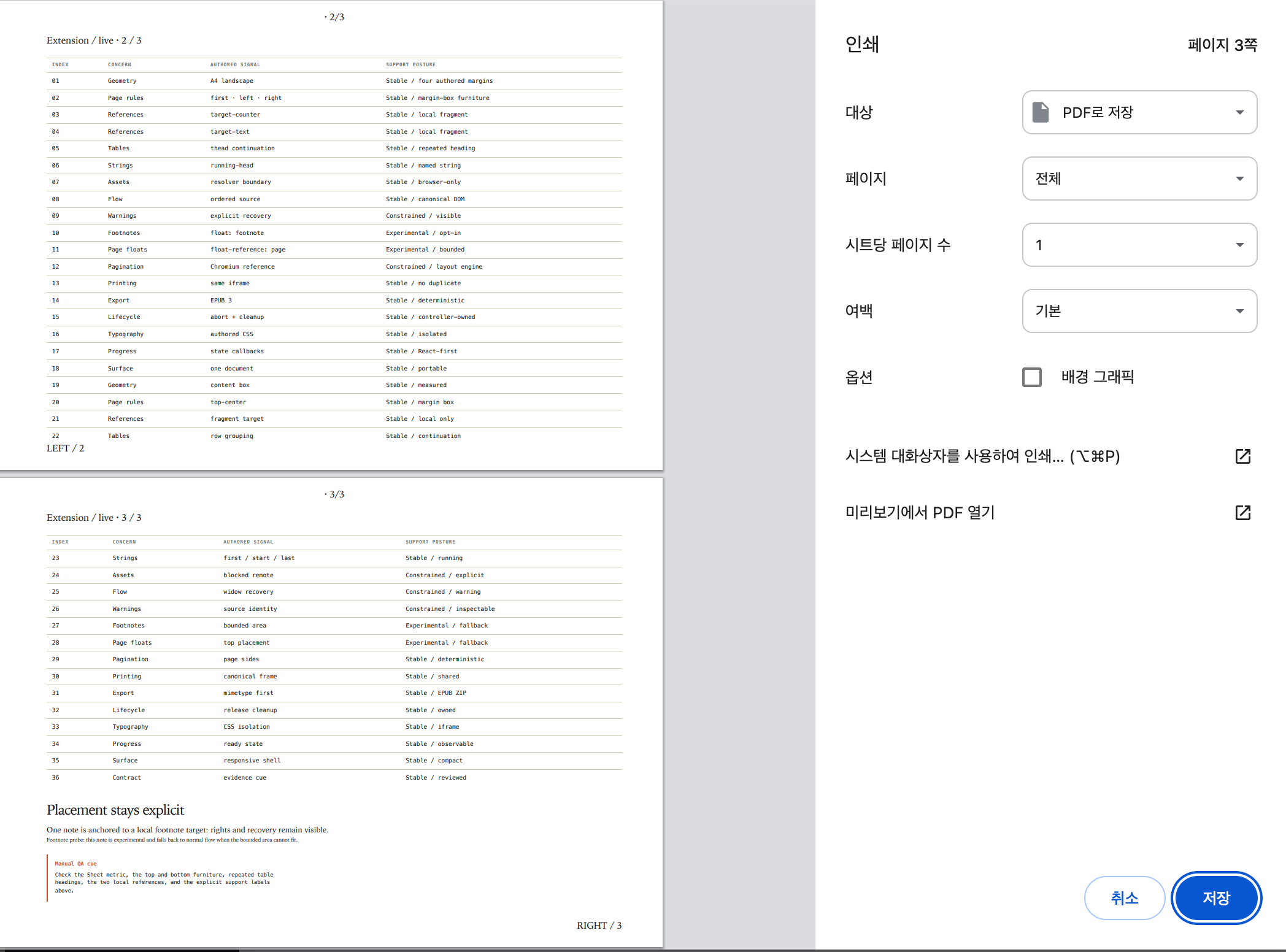
The Save to PDF preview contains the same page 2 and 3 table content, page order, repeated heading, and page furniture shown above.
Imposia does not clone Viewer pages or create a separate PDF renderer for print. print() calls Window.print() on the canonical iframe shown by the Viewer. Within the documented support boundary, orientation, margin boxes, repeated table headings, page numbers, and content order therefore stay aligned between the Viewer and browser print or Save to PDF output.
The Viewer and Save to PDF preview match because both paths observe the same committed generation. This does not mean that Imposia returns PDF bytes. Printer-driver margins, scaling, color correction, and browser-specific font metrics can still affect the final result.
Control external resources
The host application's assetResolver is the only path for external resources. Core owns any Blob URLs produced through that path and revokes them when a document is replaced, fails, or is destroyed.
Sanitized input, resolver output, and extensions remain subject to documented limits. When Imposia cannot apply a feature exactly, it reports a typed warning instead of silently guessing.
Check the compatibility boundary
- Stable: browser ESM APIs, iframe lifecycle, resource isolation, supported page media, native print, and reflowable EPUB.
- Constrained: the documented subsets of tables, flex, grid, multi-column layout, references, and named strings.
- Experimental: opt-in page-local footnotes and page floats. These features report warnings.
- Not supported: Node or CLI rendering, server export, PDF bytes, fixed-layout EPUB, arbitrary CSS fragmentation, and identical page counts across browsers.
Use Chromium as the structural pagination reference. Firefox and WebKit support the public API and lifecycle, but measurements and line breaks can differ.